



Managing multiple accounts across various platforms has become essential for businesses, marketers, and e-commerce professionals. While AdsPower has been a popular choice for multi-account management, the landscape of antidetect browsers continues to evolve with innovative alternatives offering unique features and capabilities.
In 2026, the demand for secure, efficient, and reliable antidetect browser solutions continue to grow. Whether you’re managing social media accounts, running affiliate marketing campaigns, conducting web scraping operations, or handling e-commerce stores, choosing the right tool can make all the difference in your workflow efficiency and account security.
This comprehensive guide explores eight powerful AdsPower alternatives, each offering distinct advantages for different use cases and budgets. Let’s dive into what makes each platform stand out in the competitive antidetect browser market.
1. RoxyBrowser
Overview
RoxyBrowser stands out as a premier antidetect browser designed to streamline workflows while providing enterprise-grade security. Built with both corporate and individual users in mind, RoxyBrowser delivers a light, secure, and limitless browsing experience that elevates your multi-account management capabilities.
What sets RoxyBrowser apart is its commitment to serving a global user base with reliable support and professional integration guidance. The platform enables users to rapidly configure operational environments and seamlessly tap into new markets with state-of-the-art fingerprint technology.
Key Strengths
- Advanced Fingerprint Tech: Customize GPU, fonts, OS, WebGL, canvas, and time zones to create authentic, undetectable browser sessions.
- IP-Fingerprint Sync: Automatically generates proxy-matched fingerprints for any proxy type (residential, mobile, datacenter) across 195+ countries, with city/ISP-level precision.
- Unlimited Profiles: Each browser window has a unique IP and fingerprint—zero data leaks. Operate 100+ accounts simultaneously.
- Free Plan: Permanent free tier with 5 profiles, plus a 7-day premium trial to test features in real environments.
- Account Management: Use profile templates for one-click creation and manage multiple accounts in isolated spaces via the Account Hub. Effortless proxy management in the Proxy Panel.
- Team Collaboration: Create or join workspaces with role-based permissions. Organize with projects and invite members quickly—ideal for agencies and teams.
- Automation Support: Compatible with Puppeteer, Selenium, and Playwright for reliable automation. RoxyBrowser also support the MCP protocol. Automate complex tasks via API Flow and sync actions across windows with Window Sync.
- Top-Tier Security: End-to-end encryption using AES-256, RSA, and SHA-512. Effectively bypasses detection tools like Fingerprint and CreepJS.
Considerations
As a comprehensive solution, RoxyBrowser may offer more features than needed for very basic use cases. However, it is a new brand with small community. And you need to pay for its full feature services after 7-day free trial.
Best For
RoxyBrowser excels for affiliate marketers, e-commerce professionals, social media managers, crypto traders, web scrapers, and businesses requiring secure multi-account management with professional support. It’s particularly well-suited for users who need reliable worldwide reach, advanced automation capabilities, and industry-leading anonymity. For more details, check out this comprehensive RoxyBrowser review.
2. Multilogin
Overview
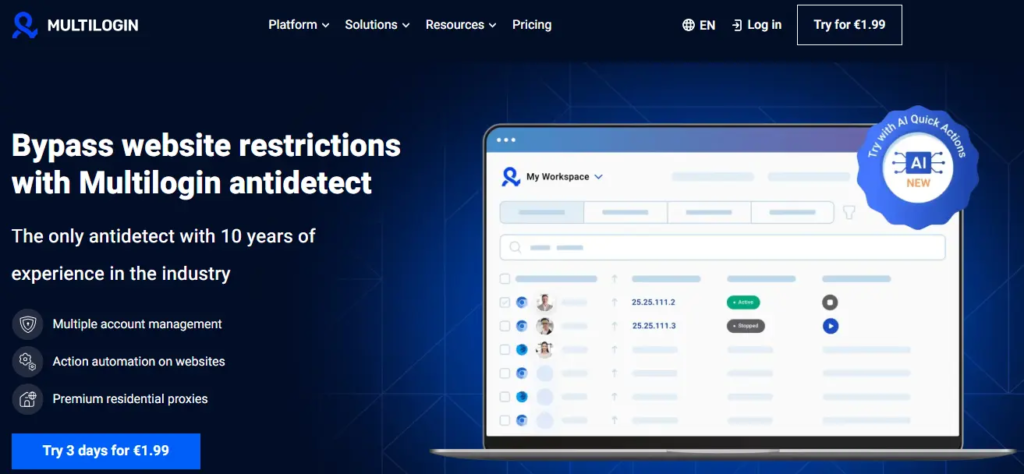
Multilogin is one of the most robust anti-detect solutions in the market, renowned for its advanced browser fingerprinting capabilities. The platform supports team collaboration, API/automation integration, and secure cloud storage, making it a comprehensive choice for enterprise operations.
Key Strengths
• Very High-Fidelity Fingerprint Spoofing: Multilogin provides advanced fingerprint control at device, browser, and OS levels, ensuring comprehensive protection against detection.
• Team Management and Role-Based Permissions: Robust collaboration features enable enterprise teams to work efficiently with proper access controls.
• Integrated Proxy Management: Built-in proxy management and automation environments support REST API, Puppeteer, and Selenium integration.
Considerations
Multilogin comes with a higher price tag compared to AdsPower and can be complex for beginners. The learning curve may be steep for users without technical backgrounds, and the cost structure may not suit small teams or individual users on tight budgets.
Best For
Businesses, agencies, and enterprise teams that require advanced fingerprint control and are willing to invest in premium features. Ideal for operations where security and sophisticated customization are paramount.
3. GoLogin
Overview
GoLogin is a popular alternative that offers cloud-synced browser profiles with customizable fingerprints and proxy integration. Known for its accessibility and straightforward approach, GoLogin has built a strong user base among freelancers and small teams.
Key Strengths
• Easy Onboarding: Intuitive interface makes it simple for new users to get started quickly without extensive technical knowledge.
• Cross-Device Sync: Cloud-based architecture ensures profiles are accessible from multiple devices seamlessly.
• Decent Fingerprint Spoofing: Provides adequate fingerprint protection for most standard use cases.
Considerations
Fingerprint customization isn’t as granular as Multilogin or RoxyBrowser, which may limit effectiveness for high-security requirements. Automation typically requires external scripts, adding complexity for users who need built-in automation features.
Best For
Freelancers, small teams, and affiliate marketers who prioritize ease of use and don’t require the most advanced fingerprint customization. Excellent for users transitioning from basic browsers to antidetect solutions.
4. Dolphin Anty
Overview
Dolphin Anty is an antidetect browser growing in popularity among advertisers, focusing on the balance between automation capabilities and user-friendly operation. It’s designed with marketers in mind who need straightforward automation without sacrificing browser fingerprint quality.
Key Strengths
• Built-in Automation: Automation features are included in paid plans, eliminating the need for external automation tools.
• User-Friendly Workspace: Profile statuses and organized workspace design simplify multi-account management workflows.
• Active Development: Regular updates to Chromium core ensure stealthier fingerprints and improved detection avoidance.
• Marketing Focus: Features specifically tailored for advertising and marketing campaigns.
Considerations
The feature set and spoofing depth may be slightly behind premium tools like Multilogin and RoxyBrowser. Advanced users requiring the most sophisticated fingerprint customization might find some limitations.
Best For
Marketers requiring built-in automation and simple workflows. Particularly suitable for social media marketers, ad account managers, and users who value an intuitive interface with integrated automation capabilities.
5. Incogniton
Overview
Incogniton is designed with deep automation compatibility and strong session isolation in mind. It bridges the gap between antidetect functionality and development-friendly automation, making it a favorite among developers and technical users.
Key Strengths
• Extensive Automation Support: Native support for Selenium, Playwright, and Puppeteer makes it ideal for automated workflows.
• GUI Automation: Replicate manual tasks across profiles with graphical automation tools.
• Balanced Features and Performance: Good equilibrium between functionality and system resource usage.
• Developer-Friendly: API documentation and integration support cater to technical users.
Considerations
Some advanced enterprise features may be missing compared to top-tier solutions. The platform is more suited for technical users, which might present challenges for non-developers.
Best For
Developers and medium-sized users who need to blend antidetect capabilities with automation. Perfect for creating custom workflows, automated testing, and integrating antidetect functionality into existing development pipelines.
6. Octo Browser
Overview
Octo Browser is an antidetect browser gaining traction for its team workflows and intuitive design. It emphasizes collaboration features while maintaining strong fingerprint customization capabilities, making it suitable for agencies and team environments.
Key Strengths
• Strong Fingerprint Customization: Comprehensive fingerprint control ensures effective protection across various use cases.
• Intuitive Dashboard: Clean, modern interface makes profile management straightforward and efficient.
• Team Collaboration: Built-in features for team workflows and profile sharing streamline collaborative projects.
• Regular Updates: Consistent improvements and feature additions keep the platform competitive.
Considerations
Proxy setup is typically manual with no built-in proxy pool, requiring users to source and configure their own proxies. This adds an extra step to the initial setup process.
Best For
Teams and performance marketers who value clean design and collaborative features. Ideal for agencies managing multiple client accounts and teams that need efficient profile sharing capabilities.
7. MoreLogin
Overview
MoreLogin positions itself as an affordable entry point into antidetect browsing, offering basic multi-profile management at competitive price points. It’s designed for users who need essential antidetect functionality without premium features.
Key Strengths
• Basic Profile Isolation: Provides essential isolated profiles and session separation for standard use cases.
• Simple Setup: Straightforward configuration process suitable for beginners.
• Low Learning Curve: Minimal complexity makes it easy to start using immediately.
Considerations
Less advanced fingerprint control and limited automation capabilities compared to premium alternatives. May not provide sufficient protection for high-risk operations or sophisticated detection systems.
Best For
Small teams or users with lightweight use cases who are just getting started with antidetect browsers. Good for testing the waters before committing to more comprehensive solutions.
8. SessionBox
Overview
SessionBox takes a different approach as a browser extension or lightweight tool for managing multiple sessions concurrently within one browser window. It’s more of a session management tool than a full-fledged antidetect browser.
Key Strengths
• Cloud Session Sync: Synchronize sessions across devices through cloud storage.
• Per-Session Proxy Assignment: Assign different proxies to individual sessions for basic isolation.
• Simple to Use: Browser extension format makes it extremely accessible and easy to deploy.
Considerations
Less powerful antidetect protection compared to dedicated browsers. The extension-based approach means it lacks the deep fingerprint spoofing capabilities of standalone antidetect browsers, making it unsuitable for high-security requirements.
Best For
Users who need multiple account tabs without full antidetect sophistication. Suitable for basic multi-session management, personal use, or as a supplementary tool alongside more robust solutions.
What You Need to Know for Choosing the Right Alternative
The antidetect browser landscape in 2026 offers diverse solutions for different needs and budgets. Your choice should depend on several factors:
• Security Requirements: For high-security operations, RoxyBrowser and Multilogin offer the most advanced fingerprint protection.
• Team Collaboration: RoxyBrowser, Multilogin, and Octo Browser excel in team-oriented features with role-based permissions.
• Automation Needs: RoxyBrowser, Incogniton, and Dolphin Anty provide robust automation capabilities for technical users.
• Budget Considerations: MoreLogin and SessionBox offer affordable entry points, while GoLogin provides good value for small teams.
• Ease of Use: GoLogin and RoxyBrowser balance powerful features with intuitive interfaces suitable for all skill levels.
Final Verdict
Among all alternatives, RoxyBrowser emerges as the most comprehensive solution, combining enterprise-grade security, intuitive design, powerful automation, and excellent value. Its permanent free plan with 5 profiles and a 7-day premium trial makes it easy to test without commitment, while its advanced features satisfy even the most demanding professional requirements.
As the digital landscape continues to evolve, investing in a reliable antidetect browser isn’t just about convenience—it’s essential for maintaining competitive advantage and operational security in 2026 and beyond.