

Creating professional video content used to require a full production setup — cameras, lighting, a confident on-screen presenter, and hours of editing. For many creators, marketers, and businesses, that barrier was simply too high. Today, AI lip movement synchronization is dismantling those barriers one frame at a time.
This technology allows any video featuring a human face to be paired with audio — whether that audio is a recorded voiceover, a text-to-speech output, or even a song — and have the character’s mouth movements match the sound with striking realism. The result looks natural, professional, and takes a fraction of the time traditional production would require.
As demand for video content continues to surge across social media, e-learning platforms, and corporate communications, the ability to produce synchronized talking-head videos quickly and affordably has become a genuine competitive advantage. Whether you’re a solo creator or part of a marketing team, understanding how AI lip sync works — and how to use it effectively — can fundamentally change what you’re able to produce.
What Is AI Lip Movement Synchronization?
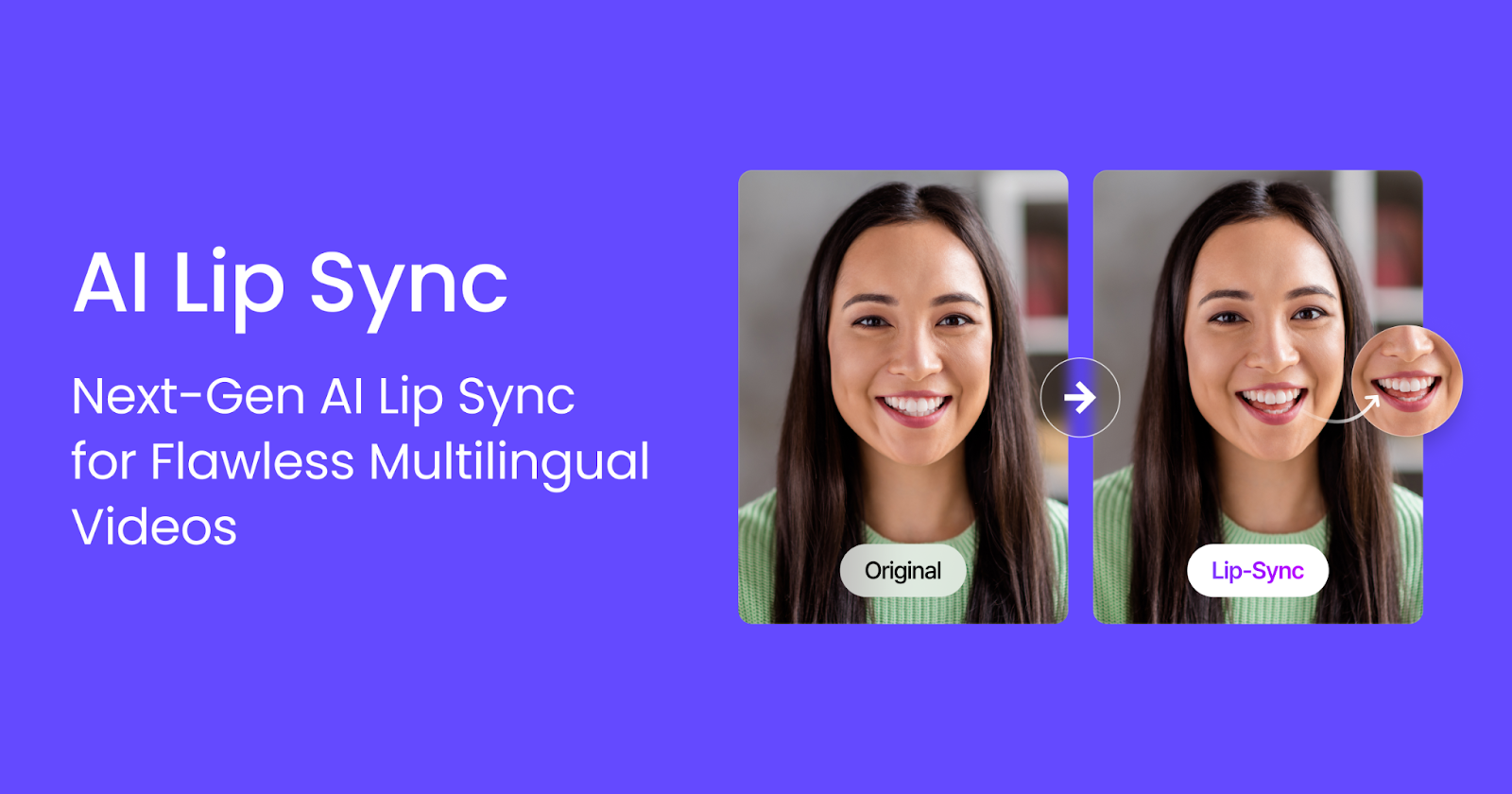
AI lip movement synchronization is the process of using machine learning models to align a character’s mouth movements with a given audio track. Rather than manually animating each phoneme or re-recording footage to match a script, the AI analyzes the audio waveform and maps it to corresponding mouth shapes — a process known as viseme mapping.
The technology draws on deep learning architectures trained on large datasets of human speech and facial movement. These models learn the subtle relationships between sounds and the physical positions of lips, teeth, and jaw. When applied to a new video, the model generates realistic mouth animations that closely mirror how a real person would look while speaking or singing those words.
What makes modern AI lip sync particularly powerful is its ability to work across different character types — real human footage, 3D-rendered avatars, and even 2D animated characters. This flexibility opens the door to a wide range of creative and commercial applications, from dubbing foreign-language content to generating entirely new video from a static image and a script.
How the Technology Works
At its core, AI lip sync relies on a two-stage pipeline. First, the system detects and tracks the face in the source video, identifying key facial landmarks around the mouth region. Second, it generates new mouth frames based on the audio input, blending them seamlessly into the original footage.
Modern tools have refined this process significantly. Some platforms allow users to upload a single portrait image and generate a full talking video from scratch, while others work with existing video clips to replace or enhance the lip movements. The audio input can come from a recorded file or from a built-in text-to-speech engine, giving creators flexibility in how they source their voiceovers.
Processing time varies depending on video length and platform, but most tools complete a standard clip in a matter of minutes — a dramatic improvement over manual animation workflows that could take hours or days.
Key Benefits for Content Creators and Marketers
The appeal of AI lip movement synchronization goes beyond novelty. For content creators and marketing professionals, it addresses several persistent pain points in video production.
First, it removes the dependency on on-camera talent. Not everyone is comfortable in front of a camera, and hiring professional presenters adds cost and scheduling complexity. With AI lip sync, a static image or a pre-recorded clip can be transformed into a speaking character, eliminating the need for repeated takes or talent coordination.
Second, it dramatically accelerates the localization process. Brands operating in multiple markets often need the same video content delivered in different languages. Traditionally, this meant re-recording with native speakers and re-editing the footage. AI lip sync allows teams to generate localized audio and apply it to the original video, with the character’s mouth movements automatically adjusted to match the new language — a process that once took weeks can now be completed in hours.
Third, it enables rapid iteration. When a script changes or a product detail needs updating, there’s no need to reshoot. Simply update the audio and regenerate the lip sync. This agility is particularly valuable in fast-moving industries where messaging needs to stay current.
Saving Time Without Sacrificing Quality
One concern creators often raise is whether AI-generated lip sync looks convincing enough for professional use. The short answer is: it depends on the tool, but the best platforms today produce results that are genuinely difficult to distinguish from real footage.
The key factors that influence quality are the resolution of the source video, the clarity of the audio input, and the sophistication of the underlying model. High-quality input tends to produce high-quality output. When working with a well-lit portrait and clean audio, modern AI lip sync tools can generate mouth movements that feel natural and expressive — not robotic or mechanical.
For most content use cases — social media videos, explainer content, e-learning modules, and marketing materials — the quality is more than sufficient. The time savings alone make the trade-off worthwhile for the vast majority of production scenarios.
Real-World Use Cases Across Industries
AI lip movement synchronization is not a single-use technology. Its applications span a surprisingly wide range of industries and content types, each with its own set of requirements and benefits.
In the entertainment and media space, studios use lip sync AI to dub foreign-language films and series, allowing content to reach global audiences without the uncanny valley effect of poorly matched mouth movements. The same technology is being applied to video game character animation, where it reduces the manual workload for animators while maintaining expressive, believable performances.
In corporate communications, companies are using AI lip sync to create internal training videos, onboarding materials, and executive messages at scale. Instead of scheduling a filming session every time a message needs to be updated, teams can generate a new video from a script in minutes.
The e-learning industry has also embraced the technology. Course creators can produce instructor-led video content without ever appearing on camera, using AI avatars with synchronized lip movements to deliver lessons in a natural, engaging format.
From Marketing Campaigns to E-Learning
For marketing teams, the ability to produce personalized video content at scale is a significant advantage. Imagine generating hundreds of product explainer videos, each tailored to a different audience segment, with a spokesperson whose lip movements perfectly match the localized script. What once required a full production crew can now be handled by a small team with the right AI tools.
In e-learning, the benefits are equally compelling. Instructors who prefer not to appear on camera can use AI-generated avatars to deliver their content. The avatar’s lip movements sync naturally with the recorded or synthesized audio, creating a learning experience that feels personal and engaging without requiring the instructor to be on screen.
Both use cases highlight a broader trend: AI lip sync is shifting video production from a resource-intensive process to an accessible, scalable workflow.
How to Use AI Lip Sync in Your Video Workflow
Getting started with AI lip movement synchronization is more straightforward than many creators expect. Most modern platforms have simplified the process into a few key steps, making it accessible even to those without a technical background.
The first decision is whether you’re working with an existing video clip or generating a new one from a static image. If you have footage of a character or presenter, you can upload it directly and apply a new audio track. If you’re starting from scratch, some platforms allow you to generate a talking video from a single portrait photo, which is particularly useful for creating AI avatar content.
Next, you’ll need to prepare your audio. This can be a recorded voiceover file, a music track for singing content, or text that you want converted to speech using a built-in TTS engine. The quality of your audio directly affects the quality of the final lip sync, so it’s worth investing in a clean recording or selecting a high-quality TTS voice.
Once your video and audio are ready, the platform handles the synchronization automatically. Processing typically takes a few minutes, after which you can preview the result and make adjustments if needed. Kling AI, for instance, supports both uploaded audio files and an integrated text-to-speech system, letting creators choose whichever input method fits their workflow best.
A Practical Step-by-Step Approach
Here’s a simple workflow for producing your first AI lip sync video. Start by selecting or creating your character video — this could be a short clip of a person speaking, a generated AI avatar, or a portrait image that the platform will animate. Make sure the face is clearly visible and well-lit, as image quality has a direct impact on the realism of the final output.
Prepare your audio source next. If you’re using a voiceover, record it in a quiet environment and export it as a clean audio file. If you prefer text-to-speech, write your script and select a voice that matches your character’s persona. Most platforms support common audio formats and allow you to trim the clip if it runs longer than the video.
- Upload your character video — ensure the face is fully visible and unobstructed
- Add your audio — use a recorded file or generate speech from text
- Run the lip sync process — let the AI handle the synchronization automatically
- Review and export — check the output for any artifacts and download the final video
Finally, export the finished video and integrate it into your broader content workflow. Most platforms deliver the output in standard video formats compatible with major editing tools and publishing platforms.
Making Professional Video Accessible to Everyone
AI lip movement synchronization has moved from a technical curiosity to a practical production tool in a remarkably short time. For content creators, marketers, educators, and businesses of all sizes, it offers a way to produce professional-quality video content faster, more affordably, and with greater flexibility than traditional methods allow.
The technology is not without its limitations — complex scenes, extreme angles, and low-quality source material can still challenge even the best models. But for the majority of real-world use cases, the results are compelling and the workflow is genuinely efficient.
As AI video tools continue to improve, the gap between AI-generated and traditionally produced content will narrow further. Getting familiar with these tools now means being better positioned to take advantage of that progress as it unfolds. Platforms like Kling AI are at the forefront of this shift, offering intuitive lip sync capabilities that make it easy to bring characters to life with synchronized speech — no studio required.