

An older TV box can become frustrating in ways that are easy to overlook until movie night arrives. Apps may take longer to open, the home screen may feel cluttered, or a service that once worked well may no longer support the device. With the holiday season approaching, replacing that equipment can be a practical gift for someone who enjoys watching television at home.
Before choosing a replacement, it helps to understand what has changed since the original device was purchased. Newer models may offer more storage, updated connections, improved wireless compatibility, and a different way to navigate apps. However, buying the newest model is not always necessary. The right choice depends on the television, the person’s viewing habits, and the problems they want to solve.
When an older TV box starts struggling with everyday tasks, Christmas can be a good opportunity to consider an upgrade. Before choosing a replacement, compare the available SuperBox Android TV Box models with the television’s connections, the apps the household uses, and the features missing from the current setup. That way, the decision is based on a genuine need rather than simply choosing a newer device.
Identify What Has Gone Wrong With the Old Box
Start by finding out why the existing device needs replacing. A box that frequently freezes may have a different problem from one that no longer supports a particular application. Slow navigation, limited storage, unreliable Wi-Fi, and outdated software can all affect the experience, but a new device will not necessarily solve every issue.
If the old box struggles to connect to the internet, check whether other devices in the home experience similar problems. The router, network congestion, or a weak wireless signal may be responsible. If only the TV box has trouble, its age, software, or hardware could be part of the problem.
Storage limitations are another reason people consider an upgrade. When a device has little free space, app updates and new installations may become difficult. Clearing unused applications can sometimes help, but a replacement with more internal storage may be worthwhile if the same issue keeps returning.
Knowing the main frustration makes shopping more focused. Instead of paying for a long list of features, you can look for a model that addresses the shortcomings of the older device.
Check the Television Before Buying Anything
A new streaming box needs to work with the television it will connect to. Most modern setups use HDMI, but it is still worth checking the TV’s available ports, especially when replacing a much older device.
Look at the back or side of the television and confirm that an appropriate HDMI input is available. If the TV is mounted on a wall, consider whether there is enough room to connect the device and route the cables without putting pressure on the connectors. Also check whether the television supports the resolution you expect to use. A box advertised with high-resolution playback cannot make an incompatible screen display that resolution.
Sound connections may matter too. If the household uses a soundbar or receiver, confirm that the existing arrangement will continue to work with the replacement. This can prevent a situation where the picture appears correctly but audio needs extra troubleshooting.
If you are buying the box as a surprise gift, discreetly checking the television’s model number can help. A few minutes of preparation is easier than discovering on Christmas morning that the new device does not suit the existing setup.
Look at Everyday Use, Not Just New Features
An upgrade should make routine tasks easier. Consider how the recipient uses the TV: do they open the same few apps every evening, switch between different types of entertainment, or share the screen with other family members?
For someone who prefers a simple routine, a clear home screen and straightforward navigation may matter more than advanced features. A viewer who regularly explores different apps may want more storage and flexible connectivity. Households that share a television might appreciate picture-in-picture or multi-view tools, provided those features support the content sources they use.
Remote control design can also affect everyday comfort. Buttons should be easy to identify, and the basic controls should feel intuitive. Voice commands may be useful for people who find typing with a remote inconvenient, but support varies by device and application.
Think about who will actually use the replacement. A technically advanced model is not automatically a better gift if the recipient finds it confusing. The best upgrade should feel comfortable after the initial setup, not just impressive when the packaging is opened.
Pay Attention to Storage and Memory
Storage and RAM are often listed together in product specifications, but they serve different purposes. Internal storage holds the operating system, installed apps, app data, updates, and supported saved content. RAM helps the device manage active tasks while software is running.
If the older box constantly runs short of space, a model with greater storage may help. Someone who installs several apps or uses supported recording features may find extra capacity useful. By contrast, a viewer who uses only a few streaming services may not need a large storage upgrade.
RAM should be considered separately. More storage does not automatically mean that apps will open faster or that the interface will respond more quickly. Overall performance depends on the processor, memory, software, and the demands of the applications being used.
It is also worth checking how much advertised storage is available after the operating system and preinstalled software occupy their share. The goal is to select a balanced device that can handle the recipient’s regular habits without paying for capacity they are unlikely to use.
Choose Connectivity That Fits the Home
A replacement TV box should connect reliably in the room where it will be used. Many devices support wireless networking, while some also provide an Ethernet port for a wired connection. Which option is better depends on the layout of the home and the quality of its network.
If the television is close to the router, Ethernet may be a convenient choice for a stable connection. If running a cable is impractical, Wi-Fi can be suitable when the wireless signal is strong enough. Wi-Fi 6 support may be useful in a compatible network, but the benefit depends on the router, internet service, and other conditions.
Check Bluetooth and USB connections as well if the recipient uses wireless accessories, external storage, or other compatible equipment. The type and number of ports can differ between models, even when their names sound similar.
Replacing an old box is a good opportunity to tidy up the entertainment area. Before ordering, compare the device’s ports with the accessories already in use. This small check can help avoid adapters, extra purchases, and unnecessary cable clutter.
Understand What a Streaming Box Can Access
One of the most important checks is whether the replacement supports the applications and services the recipient wants. A device may have capable hardware and still not provide access to every service, channel, or program.
Make a short list of the apps the household currently uses, then check their compatibility with the proposed device. If a particular sports service, film platform, or regional application is essential, confirm its current requirements through the service provider.
It is also important to understand the difference between hardware features and content access. Functions such as recording, time-shifting, and multi-view may work only with supported sources. Subscription fees and regional restrictions may apply independently of the device.
For a gift, these details matter more than broad promises about entertainment availability. Choosing a compatible device helps ensure the recipient can continue using familiar services without unexpected changes to their viewing routine.
A Replacement Option for a Modern Home Setup
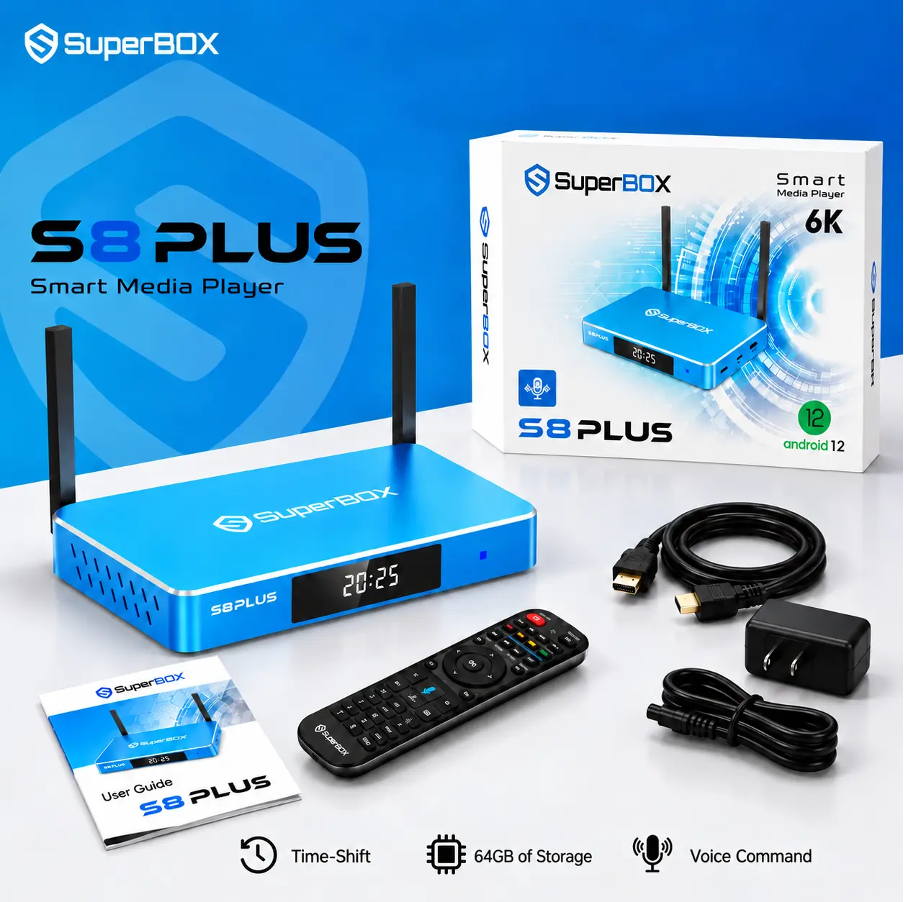
For example, the SuperBox S8 Plus is listed with 64GB of internal storage and 4GB of RAM. Its published specifications also include Wi-Fi 6 support, Gigabit Ethernet, USB 3.0 and USB 2.0 Type-A ports, and picture-in-picture with limited multi-view functionality. The model also lists built-in recording for supported content.
These details may suit a household replacing an older box that has limited storage or lacks the connections needed for its current setup. The two USB-A ports may also be convenient for people who already use compatible USB accessories.
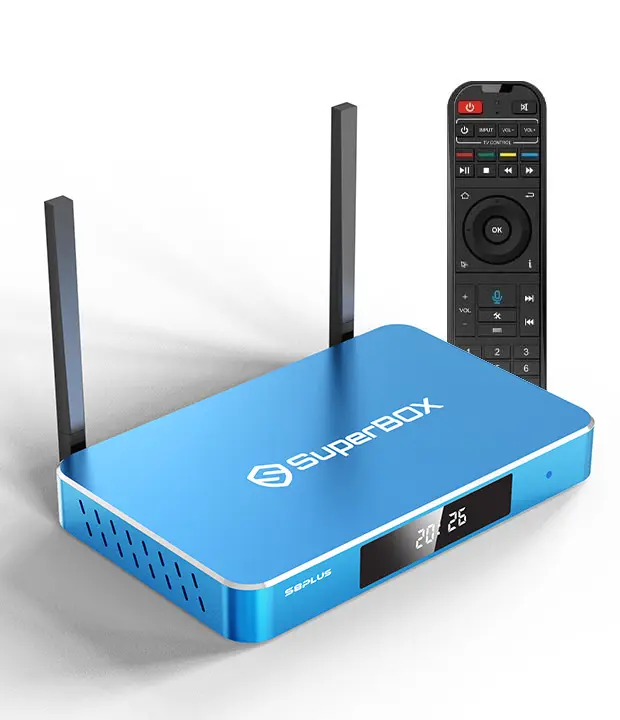
Before selecting the SuperBox S8 Plus, check the current product listing for its specifications, included accessories, and feature limitations. Confirm that the applications the recipient needs are supported and remember that hardware capabilities do not guarantee access to every content service. A replacement should be chosen for its practical fit, not simply because it belongs to a newer product series.
Make the Switch Without Losing the Familiar Routine
Changing devices can be inconvenient if the recipient has to learn everything from scratch. Before replacing the old box, make a note of the applications and account services the household uses regularly. This will make it easier to set up the new device and restore the familiar viewing routine.
Account details should be handled carefully. The recipient should sign in to their own accounts and enter passwords privately. Avoid saving credentials in an unfamiliar place or assuming that every app will transfer automatically from the old device.
Give yourself enough time to complete the initial setup before a major holiday gathering. Connect the device, join the home network, install supported applications, and test basic navigation. If something does not work, you will have time to check the instructions or contact the seller instead of troubleshooting while guests are waiting.
Keep the old box until the new one is working as expected, unless there is a reason to dispose of it sooner. Once the replacement is ready, remove personal account information from the old device before passing it on or recycling it.
Compare the Full Cost Before Ordering
The listed price is only one part of a replacement purchase. Consider whether the household needs extra cables, an adapter, a network cable, or a subscription to a preferred service. These costs can affect which model offers the best value.
Review the warranty and return policy before buying, particularly if the device is a Christmas present. A replacement may need to be exchanged if it does not work with the television or fails to meet the recipient’s needs. Keep the order confirmation and packaging until the device has been tested.
Avoid choosing a model simply because it has the biggest discount or the longest feature list. A less expensive device may be sufficient if it supports the required apps and connections. A higher-priced option makes more sense when its additional features solve a real problem or provide useful room for future needs.
A Better Upgrade Starts With a Clear Reason
Replacing an older TV box can improve the home entertainment setup, but the decision should begin with the problems that prompted the change. Check the television’s connections, compare storage and memory, review network compatibility, and confirm support for the services the recipient uses.
A newer device is most valuable when it fits the household’s routine and makes everyday viewing easier. By comparing the practical details rather than focusing only on specifications or discounts, you can choose a holiday gift that feels useful long after the season ends.