


Have you ever opened an app and found that some features are only available in another location? Maybe you wanted to check content from a different city, test a location-based application, or explore a service before traveling there. The problem is that most apps rely on your phone’s GPS data to determine where you are. Once your device shares your real location, many location-based features become limited.
A few years ago, changing GPS location on a smartphone was not an easy task. Android users often needed root access, while iPhone users usually had to jailbreak their devices. Both options came with risks and were not ideal for everyday users. Fortunately, things have changed. In 2026, you can change GPS location on iPhone and Android without root or jailbreak by using dedicated location changer software.
Why Do People Change Their GPS Location?
There are many reasons why someone might want to change their GPS location. For developers, it can save a lot of time when testing location-based apps. Instead of traveling to different cities or countries just to check how an app behaves, they can simulate those locations directly from their device.
For everyday users, the reasons are often much simpler. Some may want to see what services are available in another region, while others may prefer having more control over the location information shared with apps. Location-based games and social platforms have also made GPS location changers more popular, as users look for easier ways to interact with features tied to real-world locations.
The goal is not always about hiding your location. Sometimes it is simply about having more flexibility when using modern mobile services.
Why Many Users Are Moving Away From Root and Jailbreak Methods
In the early days of GPS spoofing, changing a phone’s location was not something most people could do easily. Android users often looked for root methods, while iPhone users usually had to rely on jailbreak tools.
The problem is that these methods are becoming less practical today. Modern smartphones are more secure than before, and making system-level changes just to adjust your location can create unnecessary trouble. A rooted or jailbroken device may run into compatibility issues after updates, and some apps may not work as expected.
For most users, the goal is simply to change their virtual location, not to modify how their entire phone works. This is why many people now prefer solutions that can handle GPS changes without requiring root access or jailbreak.
How to change location on iPhone and Android without root or jailbreak? One example is MagFone Location Changer, which offers a simpler way to change GPS location on both iPhone and Android devices. Instead of changing system settings, users can connect their device to a computer, select a location, and apply the change through the software.
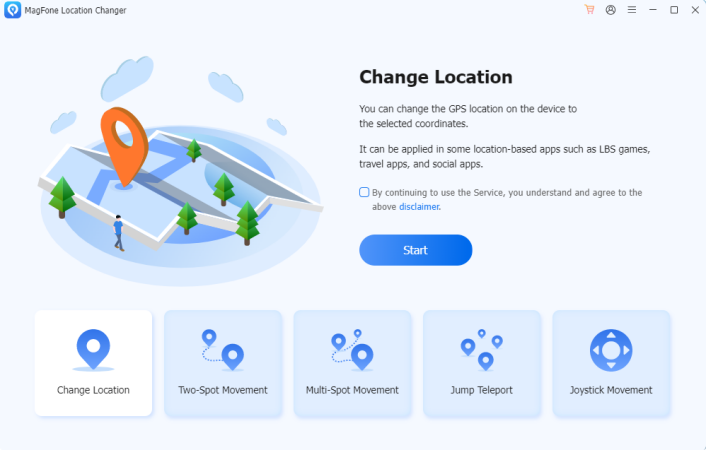
What makes this type of tool convenient is that users do not need to deal with complicated system changes. Instead of changing system settings or looking for complicated workarounds, MagFone Location Changer takes a much simpler approach. The software connects with your mobile device through your computer, allowing you to pick a location directly from a map and apply it within a few clicks.
What makes it convenient is that you don’t need to manually enter developer settings or deal with technical configurations. If you only want your phone to appear in another city or country, you can search for the destination, confirm the location, and let the software handle the rest.
Besides changing your location instantly, MagFone also includes options for users who need more control. For example, you can create a route between different points, simulate movement at a chosen speed, or use joystick mode when you want to adjust your virtual position manually.
These features are especially useful when testing location-based apps or exploring services that depend on your GPS position.
How to Change Location on iPhone Without Jailbreak
Changing the location on an iPhone does not require any jailbreak process.
Step 1: After installing MagFone Location Changer on your computer, connect your iPhone with a USB cable and open the software. Once the device is detected, select the location change mode and you will see a map interface.
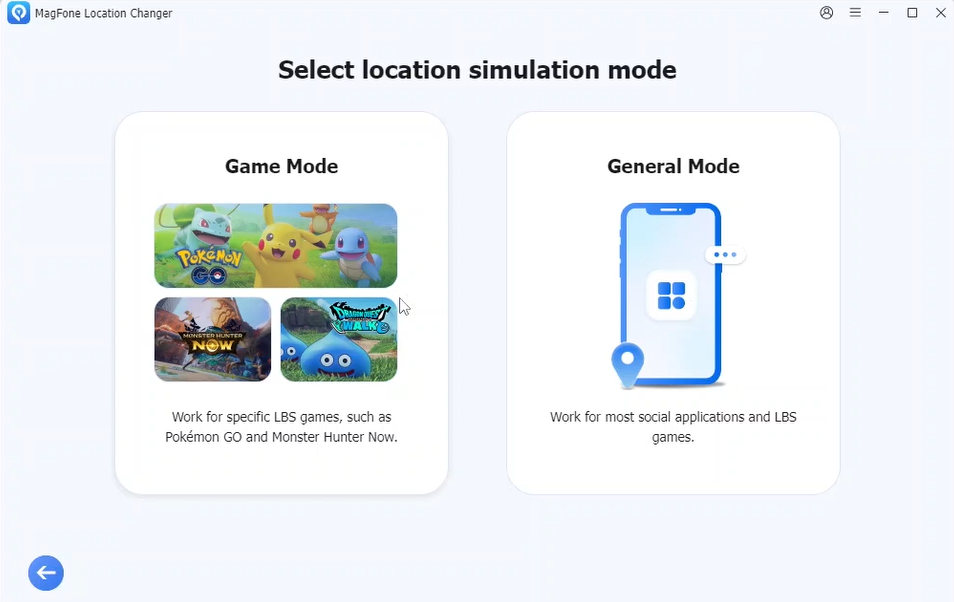
Step 2: From there, you can search for a destination or select a point directly on the map. After confirming the location, the software will update your iPhone’s GPS position.
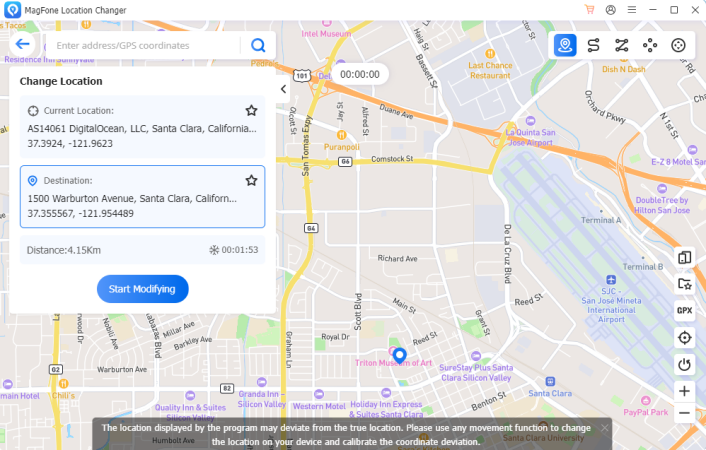
The whole process is designed to be straightforward, even for users who have never used a GPS location changer before. Your iPhone remains unchanged, and you can continue using it normally after the location update.
How to Change GPS Location on Android Without Root
The process is similar for Android users. Connect your Android phone to the computer, follow the setup instructions, and choose the location you want to use. MagFone Location Changer handles the technical steps in the background, so users don’t need to root their devices or modify system files.
This is one of the main reasons many people prefer modern GPS location tools over traditional spoofing methods. Instead of spending time configuring system settings, they can focus on what they actually want to do, changing their virtual location.
A Few Things to Keep in Mind
Before choosing any GPS location changer, it is worth checking whether the software is regularly updated. Mobile operating systems change frequently, and compatibility can make a big difference.
It is also important to remember that different apps may have their own policies regarding location data. A location changer is a tool that gives users more flexibility, but it should always be used responsibly.
Free GPS spoofing apps may look attractive, but many come with limitations or require unnecessary permissions. Choosing a reliable solution is usually a better option in the long run.
Final Thoughts
Changing GPS location on a smartphone used to be something that required advanced technical knowledge. Root methods and jailbreak tools made the process complicated and often created more problems than they solved.
Today, tools like MagFone Location Changer make the process much more accessible. Whether you are using an iPhone or Android device, you can adjust your virtual location without modifying the operating system.
For anyone who needs more flexibility with location-based apps, testing environments, or digital services, a modern GPS location changer provides a much easier way to manage where your device appears to be.