

Small business owners spend a lot of time figuring out which accounting software is the best. The free ones look tempting, but the paid ones come with endless features. But neither answer is obvious until you know what you actually need from the software day to day.
Most free accounting tools cover the basics, but a good paid tool is built for how a real business actually runs. So, let’s break down the basics and understand whether or not investing in paid accounting software is a smart financial decision.
What free software usually offers
You can record transactions, generate a few reports, and keep a rough track of what’s coming in and going out. For a freelancer or someone just starting out, that can be enough.
- But the moment your business has GST compliance, a handful of bank accounts, credit sales, and inventory to manage, it becomes difficult.
- Features get locked behind upgrade walls. GST return filing is often absent or very limited. Inventory tracking is usually an afterthought.
- Free accounting and billing software tends to cap the number of invoices you can raise, the users who can log in, or the volume of data you can store. Sometimes all three at once.
Why paid software is needed
Think about a single busy day at a trading firm: sales happening, two bank accounts moving, UPI payments in and out, and staff expenses to account for. All of that needs to flow into the books without the owner having to reconcile three different systems at the end of the day.
- Paid accounting software for small business makes sense when it handles that kind of complexity in one place.
- When a sale is entered, it should automatically update what the customer owes, adjust the inventory, post to the right ledger, and calculate GST, all in that single step. That’s what actually saves time and prevents errors.
GST is where the difference shows
Free tools often make you handle GST manually. You record a sale, then go and update your GST tracker separately.
- If you miss something, your GSTR-1 has a mismatch. Paid software auto-fills your GSTR-1 as you make entries. It reconciles your GSTR-2A and 2B automatically.
- Some even let you file returns directly from within the software, without switching between portals. For any registered GST business, this alone recovers the subscription cost in time saved every single quarter.
Credit and cash flow
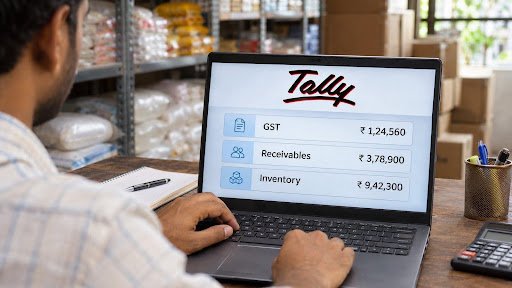
The two things that keep small business owners up at night are credit and cash. Who owes you money, for how long, and how much can you safely extend to a new customer? What’s the actual cash position right now across all accounts?
- Free tools rarely have bill-by-bill tracking. They might show you a total balance for a customer but not which invoices are overdue or by how many days.
- Ageing analysis, seeing at a glance that one particular party has had an invoice pending for 60 days, is typically a paid feature. So is setting a credit limit per customer to cut off risk before it turns into bad debt.
- On the cash side, connected banking, where the software takes your live bank balance information and lets you reconcile without exporting CSV files back and forth, is almost never free. Neither is a one-click cash flow and funds flow statement.
Inventory and expenses
If you sell physical goods, the inventory situation with free software gets messy quickly. Sales entries and stock updates often have to be done separately, which means double the work and double the chance of something not matching. A good paid tool links the two.
- Every invoice updates stock automatically. You can track item-wise profitability, set reorder levels, and manage goods across multiple godowns or locations, all from the same platform.
- For expenses, the difference comes down to cost centres. A basic tool tells you that you spent ₹40,000 on freight last month. A proper paid solution shows you how much of that went to your Delhi branch versus your Mumbai operation. That’s the level of detail that helps you actually make decisions.
Conclusion
The real question isn’t free or paid. It’s what your business does every day and whether the software can keep up with it. Check specifically: Does it handle GST end-to-end or just the invoicing part? Does it track receivables bill by bill? Will the reports work for your accountant, Schedule III format, narration fields for each voucher, a clear edit log showing every change that was made?
The worst mistake is saving a few hundred rupees a month on software and then spending hours doing manually what the right tool would handle in seconds. That cost never shows up on a P&L, but it’s what affects your business in the long term.