



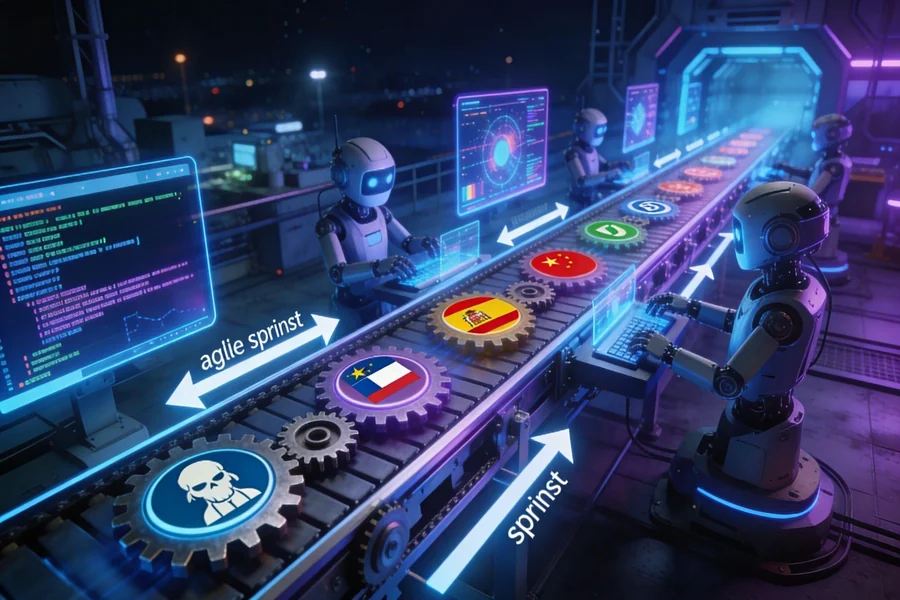
Shipping a game globally used to mean one brutal crunch at the end: freeze the build, export every string, email spreadsheets to translators in a dozen countries, wait weeks, reimport everything, and pray nothing broke. For a studio running two-week sprints, that waterfall tail could swallow an entire quarter. The good news is that continuous localization – the practice of translating content in parallel with development rather than after it – has turned that bottleneck into a background process. When translation tools connect directly to your version control system, every string commit can trigger a translation job, and localized builds arrive at QA almost as fast as the source build does.
This guide walks agile game development teams through the full picture: what continuous localization actually means, how to wire it into GitHub (or any Git host), which tools make it practical, and how to keep the whole system healthy across a multi-language release.
What Continuous Localization Really Means
Traditional localization treated translation as a waterfall phase – a gate the game had to pass through before going gold. Continuous localization (CL) reframes translation as an ongoing development activity that runs in parallel with every sprint. The core idea borrows directly from CI/CD: just as automated tests run on every pull request, translation jobs fire on every change to your source strings.
In practice, this means a developer adds a new dialogue line on Monday, a machine-translation draft appears in the TMS (Translation Management System) by Monday afternoon, a human reviewer polishes it by Wednesday, and the localized string is back in the repository before the sprint ends. No manual file-handling, no batch exports, no waiting for a dedicated “loc sprint.” The game and its translations age together.gridly+1
The cultural shift matters as much as the tooling. Agile localization treats translators as members of the development team, not external contractors who receive finished deliverables. Giving them access to the TMS from day one – complete with screenshots, character limits, and glossary context – dramatically reduces revision rounds and keeps quality high across rapid iteration cycles.
Why Version Control Is the Foundation
Version control is where code lives, so it is the logical place to anchor localization too. When source strings are stored as versioned files in Git – JSON, YAML, XML, PO, or any structured format – every change carries a diff, a commit message, an author, and a timestamp. That metadata is gold for a localization pipeline.
A modern TMS can watch your repository via webhooks. The moment a developer pushes a commit that touches a string file, the webhook fires, the TMS pulls the diff, extracts only the changed or new keys, and queues them for translation. Completed translations come back as pull requests against the relevant branch, ready for a developer or QA lead to review and merge. Nothing leaves your Git history; every translated string is auditable, reversible, and branchable – just like code.
Branch-aware localization is especially powerful for studios running feature branches. Tools like Gridly and Lokalise support content branching that mirrors Git branching: translators work on a content branch that corresponds to a feature branch, and both get merged back to main at the same time. This prevents the classic “translated the old version” problem that haunts traditional workflows.lokalise+1
Setting Up a GitHub-Connected Pipeline
Getting a CI-friendly localization pipeline running on GitHub involves four moving parts: your string files, a TMS with a GitHub integration, GitHub Actions workflows, and a translation memory.
1. Organize your string files deliberately. All localizable text – UI labels, dialogue, tutorial copy, error messages – should live in a dedicated directory (e.g., /locales/en/) as a machine-readable format. Keep keys semantic (ui.menu.play_button) rather than indexed (string_042) so diffs are human-readable and translators understand context without screenshots.
2. Connect your TMS to GitHub. Platforms like Lokalise, Crowdin, Phrase, Transifex, and Localazy all offer native GitHub integrations. The setup typically involves: authorizing the TMS to read and write to your repository, specifying which file paths to watch, and configuring language pairs and automation rules. Once connected, the TMS monitors pushes to your designated branches and reacts automatically.transifex+1
3. Write GitHub Actions workflows for push and pull. A typical YAML workflow has two jobs. The upload job triggers on push to dev, runs the TMS CLI to upload changed source keys, and tags them with the branch name. The download job triggers when a PR is merged into main, pulls completed translations from the TMS, and commits them to the repository. Automating this pipeline is a key benefit of using dedicated video game localization solutions. It lets developers push content and pull translations without manual file handling, as shown in the workflow description here.
4. Configure translation memory and MT fallback. Most enterprise TMS platforms combine a translation memory (reusing previously approved segments) with machine translation as a first draft for new strings. For a game with recurring UI patterns or sequel content, translation memory hit rates can exceed 60–70%, dramatically reducing both cost and turnaround time.
Parallel Translation During Sprints
The real payoff of this setup is what happens inside a sprint. Under a traditional model, sprint 12 might add 400 new strings, but translators don’t see them until sprint 15 when a loc build is formally exported. Under continuous localization, those 400 strings are in the TMS by the end of sprint 12’s first day.
A practical sprint cadence looks like this:
- Day 1–2: Developers write features, strings are committed and automatically uploaded to the TMS
- Day 3–5: Machine translation drafts are generated; human translators begin review
- Day 6–8: Translations are approved, TMS opens a pull request back to the game repository
- Day 9–10: QA tests localized builds in context; any issues filed as bugs with string keys
This overlap means translation review is never on the critical path. By the time a feature is code-complete, its localization is typically 80–90% done. The remaining polish happens during the feature’s QA cycle, not in a separate, dedicated loc sprint that delays your launch date.
Studios that have adopted this model report reducing their end-of-project localization crunch from weeks to days. The push notification example from Gridly’s research illustrates the scale: what was previously “copy-paste hell” across 15 languages became a fully automated workflow that eliminated manual coordination entirely.
Context Tools That Keep Quality High
Speed without quality is worthless, and the biggest quality risk in automated localization is context starvation – translators working blindly on strings they cannot place in the game. Modern agile localization platforms address this with several context-delivery mechanisms:
- In-context screenshots attached automatically to keys when the TMS integrates with your game engine’s screenshot tool
- Character limits encoded in the string file format or TMS metadata, preventing UI overflow in compact languages like German or Finnish
- Glossary enforcement that automatically surfaces relevant game-specific terms (character names, ability names, lore words) for each segment
- Reference files linking a string to its parent scene or UI component so translators understand tone and register
Unity and Unreal Engine both support integration points with major TMS platforms, allowing screenshots and in-game context to flow directly into translator workspaces. For narrative-heavy games with branching dialogue, some studios export a lightweight story graph alongside string files so translators understand which lines follow which.
Avoiding Common Pitfalls
Even well-designed continuous localization pipelines break down in predictable ways. Watch for these failure modes:
Key deletion desynchronization. When a developer deletes a string key from the source file, most TMS auto-pull features do not automatically delete the corresponding translation. Left unmanaged, the TMS accumulates thousands of orphan keys that inflate costs and confuse translators. Solve this with a scheduled cleanup job in GitHub Actions that diffs the TMS key list against your source file and marks stale keys for archiving.
Branch merge conflicts in string files. When two feature branches both modify the same string file, Git will flag a merge conflict. Unlike code conflicts, string file conflicts are usually straightforward to resolve programmatically – a script that takes the “newer” key by commit timestamp is often sufficient. Build this into your PR merge workflow before it becomes a daily manual chore.
Machine translation leaking to production. If your TMS is configured to auto-approve MT output and your download job triggers on every main merge, you risk shipping unreviewed machine translation. Add a translation status filter to your download job: only pull segments with status reviewed or approved, never machine_translated_only.
Audio and lip-sync lag. Automated string pipelines handle text beautifully but do nothing for dubbed audio or lip-synced animations that depend on finalized text. Flag voice-over strings in your TMS metadata and exclude them from auto-approval workflows. Route them through a separate, manually triggered pipeline with a longer review window.
Choosing the Right Tools
The TMS market has matured significantly, and several platforms now offer purpose-built game localization features rather than generic software localization tools. Key differentiators to evaluate:
| Tool | GitHub Integration | Game Engine Support | Branch-Aware |
| Crowdin | Native, webhook-based | Unity, Unreal plugins | Yes |
| Lokalise | GitHub Actions + CLI | Unity SDK | Yes |
| Phrase | Native + CLI | API-driven | Yes |
| Localazy | GitHub Actions CLI | API-driven | Yes |
| Transifex | Native, 40+ integrations | API-driven | Yes |
| XTM Cloud | Native webhook + PR delivery | API-driven | Yes |
| Gridly | API + GitHub Actions | Unity/Unreal direct | Yes gridly+1 |
For indie studios, Localazy and Crowdin offer generous free tiers that cover most small-team needs. Mid-size studios shipping in 10+ languages will find Lokalise’s or Phrase’s translation memory features and QA automation worth the subscription cost. Enterprise studios with dedicated loc teams often gravitate toward Gridly or XTM for their dependency tracking and rich context delivery.xtm+1
Measuring the Pipeline’s Health
An automated pipeline you cannot observe is a pipeline you cannot trust. Instrument yours with these metrics:
- String lag: average time from source string commit to approved translation
- TMS coverage: percentage of source keys that have approved translations in all target languages
- MT acceptance rate: how often machine translation drafts pass human review without edits (a proxy for translation memory health)
- Key churn rate: how many keys are added, modified, or deleted per sprint (a leading indicator of scope creep that will stress your loc budget)
Expose these metrics in your CI dashboard – most TMS platforms offer reporting APIs. Treat a TMS coverage drop below 95% the same way you’d treat a failing test suite: block the build until it’s resolved.
FAQs
At what project stage should we set up continuous localization?
Ideally, from the first sprint where UI strings exist. The earlier you connect your TMS to GitHub, the more translation memory you accumulate, and the lower your per-word cost becomes over time. Setting it up at alpha is still valuable, but you’ll be paying to retranslate content that changed repeatedly before you got there.
We only have a small team. Is CI/CD localization overkill?
Not at all. Tools like Localazy and Crowdin have free tiers and GitHub Actions templates you can configure in an afternoon. Even a two-person team shipping in three languages will save significant time by eliminating the manual export-import cycle.
How do we handle language variants (e.g., Brazilian Portuguese vs. European Portuguese)?
Treat them as separate target locales in your TMS from the start. Most platforms support locale inheritance, where a base locale (e.g., pt) is automatically leveraged for variants, with only divergent strings requiring manual translation. Define this structure early – retrofitting it later requires a full key reimport.
What file format should we use for our string files?
JSON and YAML are the most widely supported across TMS platforms and game engines. YAML is more human-readable for writers; JSON has broader tooling support. Avoid proprietary engine-specific formats unless your TMS has an explicit plugin for them.
How do we manage translator feedback when a source string is ambiguous?
Configure your TMS to allow translators to flag strings with comments or questions, and route those flags to a Slack/Discord channel via webhook. Assign a single “loc lead” developer per sprint who owns responding to translator queries within 24 hours. Unanswered questions are the number-one cause of quality degradation in fast-moving pipelines.
Can we use free machine translation (like DeepL Free or Google Translate) to cut costs?
You can, but route all MT output through human review before it reaches your repository. MT quality for game dialogue – especially idiomatic, character-voice text – is improving but still inconsistent. Use MT as a first draft that cuts translator time in half, not as a finished product.
How do we handle strings that change meaning based on game state (plurals, gender, context)?
Use ICU message format or a similar pluralization-aware syntax in your string files. Most major TMS platforms support ICU natively, allowing translators to handle all grammatical variants of a single key in one place rather than managing separate keys for item_singular and item_plural.