If you are in the market for screen recorder software for Windows, the iTop Screen Recorder could be the best option for you. There are several reasons behind the need to record something on our screen. Aside from the sharing purpose, capturing the screen is essential for professionals in creating tutorials on a particular software. Screen recording is also helpful for YouTubers to record their gameplay.
To seek the top screen recorder program, you might encounter an obstacle. The vast number of options might make it harder to consider the best. Now, we would like to introduce and give a brief review of the iTop Screen Recorder that may help you create a quality recording of your screen.
Introduction to The App
As you might know already, the iTop Screen Recorder works mainly to record or capture moments on your screen. It is a part of the IObit software list. Working similarly to other recorders, iTop Screen Recorder promises lag-free performance with high-quality results for each recording. However, we couldn’t say that it’s flawless software. To help you understand this software, here’s the review for iTop Screen Recorder.
System Requirements
As a screen recorder, iTop won’t demand such high-end specifications. It works on most-used Windows versions, including Windows 7. At least your computer should have a 1 GHz Intel or AMD processor, 2GB RAM, and 1 GB storage. As for the screen resolution, but we recommend using a 768P screen or better.
What Kind of Features It Has?
Lag-Free Recording
One of the best features iTop Screen Recorder has is its smooth recording. The software promises the experience of lag-free recording each time you hit the record button. At the maximum performance, it can record high-quality footage at 50 FPS. The greater recording capacity could be obtained if you have better hardware, enabling the option of hardware acceleration. If you want to make a tutorial video, iTop Screen Recorder can also record your cursor movements.
Custom Watermark
To ensure that your videos won’t be stolen by others, adding watermarks is essential to ensure that your video is yours only. Fortunately, iTop Screen Recorder also has this option enabled, but for the Pro version only.
Basic Video Editor
When you install iTop Screen Recorder, you also get the basic features of video editing software. With this program, you can also edit your videos right away without opening other software. Don’t expect too much of it since it can only offer the essentials. But, they are pretty enough for basic video editing that doesn’t require complexity.
Wide Range of Output Formats
Don’t worry about the output format anymore. With iTop Screen Recorder, now you don’t have to convert your file format into another. It gives a wide range of support for multiple formats. In total, there are ten of them, including GIFs.
As for the sound recording, you can use either an additional peripheral, internal system audio or the webcam input.
Performance
We have tested the software personally using a portable PC. In short, the software is able to give exactly what we want. It works fast and is stable without any problems or glitches happening. Technically, there are no troubling issues.
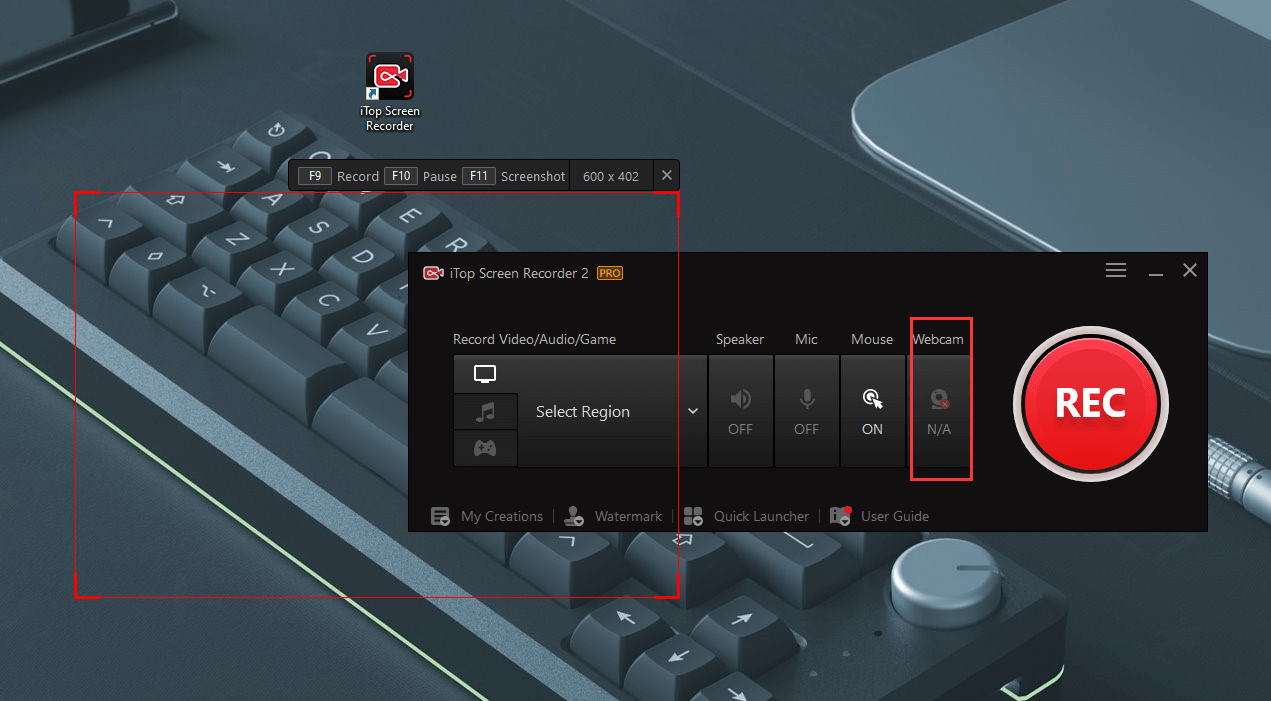
After installing the software, you are given several options: recording the screen in full screen, windowed, or a set space. While recording, you can also take some screenshots if you want to explain what’s going on on the screen briefly.
On the free version, we have found limitations, especially on the features. But, the software is still generous enough for free users. It doesn’t have a length restriction for video recording and even removes the watermark completely. Undoubtedly, the Pro version comes with better value, including the features of Custom Watermark, recording in 60 FPS, or hardware acceleration option.
Conclusion
We can see iTop Screen Recorder as decent recording software. As a newcomer in the market, it gives many benefits, even in the free version. We’d recommend using the free version first to get the whole idea of iTop Screen Recorder.