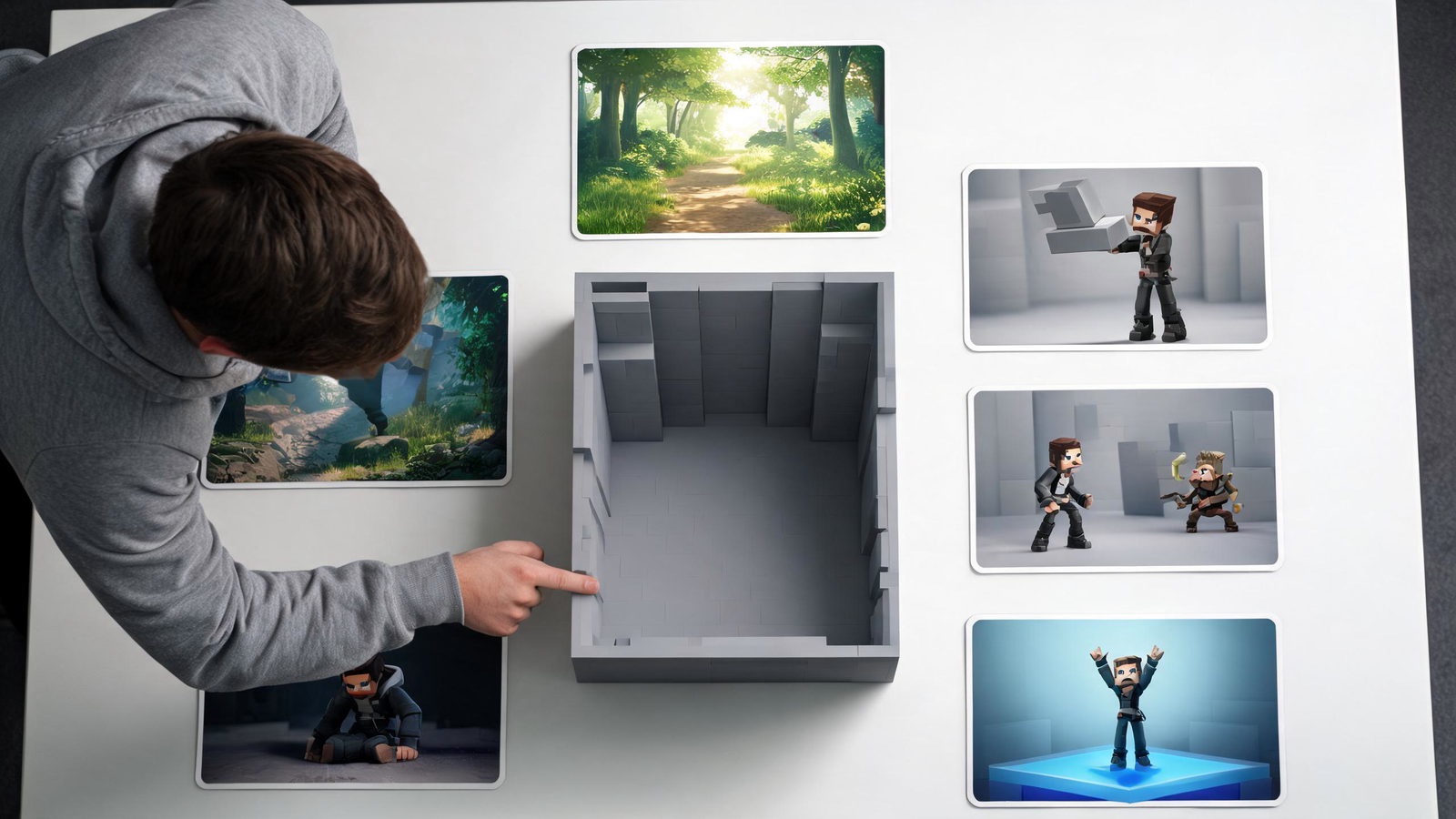
A solo developer opens a game engine with a clear idea: a ruined city, a mechanical guardian and a combat system built around redirecting enemy attacks. A few weeks later, the project contains half-finished streets, several unfinished enemies, an inventory screen, crafting plans and a story outline that would take years to complete.
The problem is not a lack of effort. It is a lack of boundaries.
A strong vertical slice solves this problem by presenting one small but representative section of the intended game. It combines the core mechanic, visual direction, audio and technical performance in a playable experience. Unlike a rough prototype, it should communicate what the finished game may feel like. Unlike a demo, it does not need to represent the full amount of planned content.
What Should a Vertical Slice Prove
A vertical slice should answer the most important questions surrounding the project:
- Is the core gameplay enjoyable?
- Can the visual direction support that gameplay?
- Can one developer produce the required assets consistently?
- Does the game perform acceptably on its target hardware?
- Can a new player understand what to do?
- Is the idea strong enough to justify further development?
It should not attempt to prove that every planned feature is possible. A crafting system, branching dialogue or large open world may sound important, but these elements should remain outside the slice unless they define the game’s central experience.
For the imaginary ruined-city project, the slice might contain one street, one interior room, one guardian enemy and one complete combat encounter. That is enough to test exploration, atmosphere and attack redirection without building an entire district.
Define What Must Be Finished
Dividing the content into three groups prevents temporary ideas from quietly becoming production commitments.
| Must feel representative | Can remain simplified | Should wait |
| Core movement and combat | Menus outside the main flow | Multiple levels |
| One complete environment | Background buildings | Full inventory system |
| One important enemy | Secondary animations | Several enemy families |
| Gameplay camera | Nonessential visual effects | Optional side quests |
| Basic sound feedback | Temporary interface art | Large cosmetic library |
| Target performance | Unused doors and rooms | Complete narrative campaign |
“Representative” does not always mean final quality. It means the element is close enough to reveal whether the intended experience works.
A temporary menu may be acceptable if the slice focuses on combat. A generic enemy may not be acceptable when learning and redirecting that enemy’s attacks is the main mechanic.
Build a Small Playable Path
A vertical slice needs a beginning, development and conclusion, even if it lasts only ten minutes.
The ruined-city example could begin with the player entering a blocked street. A distant sound introduces the guardian before it becomes visible. The player discovers the redirection mechanic during a low-pressure interaction, then applies it in a more demanding fight. Defeating the guardian opens the exit and ends the slice.
This structure demonstrates more than a disconnected combat arena. It shows how the game introduces information, creates anticipation and develops a mechanic.
Keep the path compact. A small, carefully paced environment is more useful than a large map full of empty areas. Players should encounter a meaningful decision, piece of information or interaction frequently enough that the experience never feels unfinished simply because of its scale.
Explore the Visual Direction Without Creating a Full Library
Solo developers often lose time creating assets that never appear in the final slice.
Start by listing only what the playable path requires. For the ruined street, that might mean a road surface, two modular wall sections, a damaged vehicle, several pieces of debris, one door, one interior prop set and the guardian.
Early concepts do not need production-ready detail. A developer can sketch, use simple geometry or explore rough models with Meshy AI before deciding which assets deserve further work. Generated models still need human review for style, scale, topology, collision and performance.
The purpose of this stage is to find a coherent visual language. Repeating a small set of shapes, materials and colours can make a limited environment feel intentional. Adding dozens of unrelated objects usually makes consistency harder.
Which Assets Need Near-Final Quality
The answer depends on what players will examine and what the slice is meant to prove.
The guardian enemy deserves more attention because players watch its shape, movement and attack cues closely. The redirectable projectile also needs to be clear because it carries essential gameplay information. A distant building visible for several seconds may only require a convincing silhouette and simple materials.
Prioritise assets that:
- Stay close to the camera
- Communicate gameplay rules
- Appear throughout the experience
- Define the project’s visual identity
- Affect animation or collision
- Present the greatest technical risk
This approach avoids polishing objects simply because they are easy to finish. A beautifully modelled rubbish bin contributes little if the central enemy remains difficult to read.
Keep Placeholder Art Where It Still Helps
A vertical slice should look coherent, but replacing every placeholder can waste time.
Temporary art can remain in areas that do not affect the test. A locked door that never opens may use a simple model. Background rubble can be repeated or reduced to basic forms. An interface panel shown for a few seconds may only need readable text and clear controls.
Placeholders become a problem when they distort feedback. If players fail to understand an interactive object because it looks temporary, the slice is no longer testing the intended experience. If an unfinished animation makes combat timing unclear, the developer cannot judge whether the mechanic feels fair.
Ask whether each temporary element prevents players from responding to the real design. If not, it may remain temporary.
Test Performance Before Adding Polish
Performance problems are easier to address when the scene is still small.
Test on hardware that reflects the intended audience rather than only the developer’s main computer. Watch frame time while the guardian attacks, effects appear and the camera faces the most detailed part of the environment.
Common issues include:
- Too many high-detail objects visible at once
- Large textures on minor props
- Expensive transparent effects
- Excessive dynamic lighting
- Complex collision
- Unnecessary background activity
- Scripts running more often than required
Do not wait until the slice looks complete to profile it. If the chosen visual direction exceeds the target performance budget, discovering that early is one of the vertical slice’s most valuable results.
Let New Players Reveal Missing Information
A developer who has played the same encounter hundreds of times cannot experience it like a new player.
Give the slice to someone who has not watched its development. Avoid explaining the controls unless the game itself fails to do so. Observe where the player hesitates, which visual cues they miss and whether they understand the main mechanic.
Afterward, ask specific questions:
- What did you think the goal was?
- When did you understand the redirection mechanic?
- Which object or effect was confusing?
- Did the guardian’s attacks feel predictable enough to learn?
- Where did the experience feel unfinished?
Do not respond to every suggestion by adding more content. Confusion may require a stronger cue, better timing or clearer composition rather than another tutorial screen.
Refine Selected Assets Instead of Expanding the Scene
Once testing confirms that the core encounter works, refine the assets that most strongly affect the experience.
At this stage, a workflow such as Meshy 3D Agent can assist with selected modelling and texturing tasks. The goal should not be to generate an entire game world simply because the workflow is available. The developer still needs to review each result, maintain a consistent style and prepare the asset for the engine.

For the example slice, improving the guardian, redirectable projectile and a few signature environment props would be more valuable than filling inaccessible streets with additional objects.
A vertical slice becomes convincing through focus, not volume.
A Practical Two Week Rhythm
A solo developer can use the following schedule as a planning framework:
Days 1–2: Define the core question, playable path and success criteria.
Days 3–4: Build the environment with simple geometry and implement movement.
Days 5–6: Add the central mechanic and one complete enemy encounter.
Day 7: Run the first external playtest before visual polish.
Days 8–9: Fix unclear controls, pacing and gameplay communication.
Days 10–11: Refine the most important character and environment assets.
Day 12: Add essential audio, effects and interface feedback.
Day 13: Profile performance and test target hardware.
Day 14: Conduct a second external test and document the results.
The exact schedule will vary, but the order matters. Core gameplay must survive testing before the developer invests heavily in presentation.
A successful vertical slice does not prove that the whole game is finished. It proves that the central idea can become a coherent experience and reveals what producing the rest of that experience may require. For a solo developer, that clarity is often more valuable than a large collection of disconnected content.
FAQs
How long should a vertical slice be?
A vertical slice should be long enough to demonstrate the game’s core experience, often around 10 to 30 minutes. Its purpose is to prove that the main mechanics, visual direction and technical systems can work together—not to represent the full game.
Does a vertical slice need final art?
Not every asset needs to be final, but the slice should be polished enough to communicate the intended visual quality. Teams can use placeholders in less important areas while prioritizing near-final art for the characters, environments and interactions players will notice most.
Can AI-generated 3D assets be used in a vertical slice?
Yes, AI-generated 3D assets can help teams prototype environments, props and visual ideas more quickly. However, they should be reviewed and refined for topology, scale, materials, performance and consistency before being treated as production-ready assets.