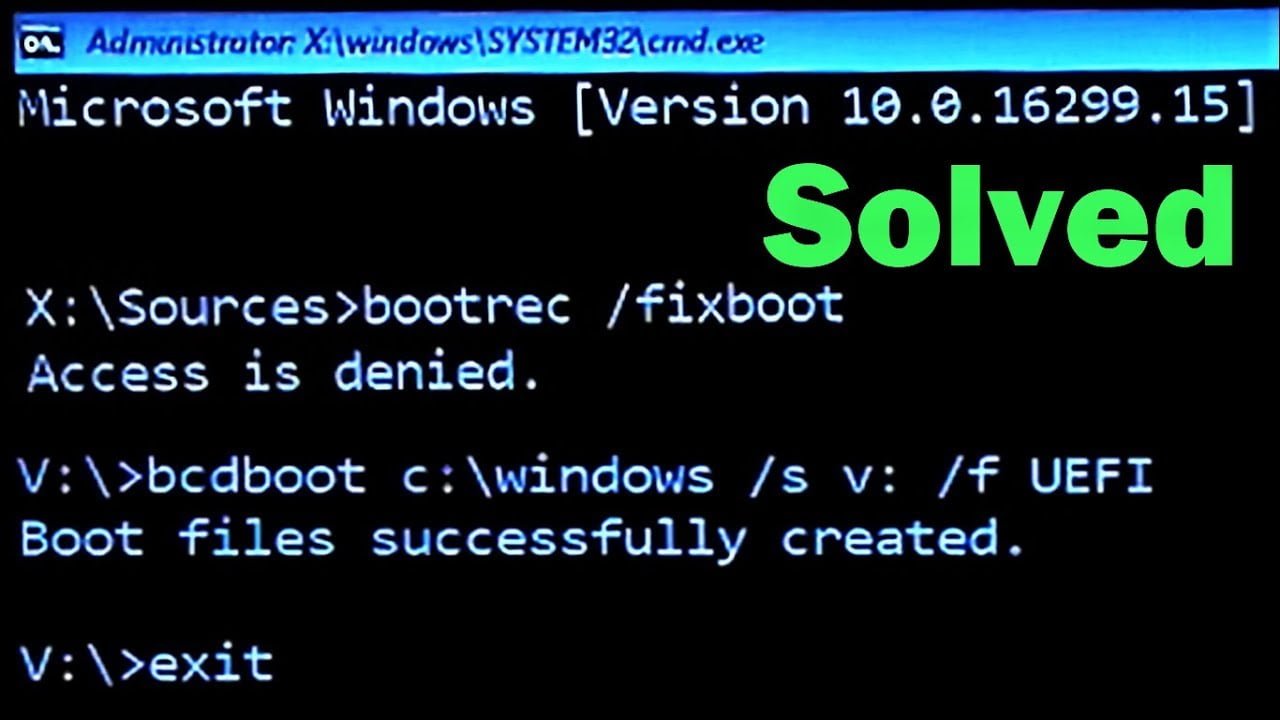
Sometimes, when you are trying to fix the boot-related problem in Windows, you may encounter an ‘Access Denied’ error. Therefore, in this article, we have provided the solution to the query of: how do I fix fixboot access denied? Follow one of these fixes to get a quick answer.
Fix Bootrec on GPT Drive
This is probably the best solution, but can only work with a GPT drive. Also, you will need Windows installation media. However, if you do not have one, you can create it on the running computer by following these steps:
- Download Windows Media Creation Tool, and prepare a USB drive. Make sure it has a space of at least 8GB.
- Now, insert the USB into the computer, and run the creation tool by agreeing to the terms.
- An option will appear called ‘create installation media for another PC’. Select it, and hit next.
- Then, click on ‘Use the recommended options for this PC’ and select next.
- You’ll get various options. Select ‘USB flash drive’ and move on to the next option.
- Now, let the process be completed.
Once the process is completed, insert the USB into the computer and reboot the system. After that, follow these steps to repair fixboot access denied in 2021:
- When the initial window screen appears, accept the default settings. Then, instead of clicking on ‘Install Now’, press Repair your computer.
- Then, select troubleshoot>Advanced settings>command prompt. There type ‘disk part and hit Enter key.
- Type ‘list disk’ and press the key Enter. Now, identify which disk number represents the boot disk. In most cases, it is Disk 0.
- Now, type the following commands: Disk 0<Press Enter, list volume> Press Enter, from there remember the EFI partition number (say N). Now, type select volume N> Press Enter, Assign letter=N>Press Enter. Now, type Exit and press enter. You’ll leave the diskpart window. Remember the N number you assigned in the window.
- Now, type the assigned number N, and hit the enter key.
- Later, on the same window insert format N: /FS: FAT32 > Press Enter. Lastly, type bcdboot C:/windows /s N: /f UEFI and press Enter key.
The problem of fix boot access denied will be now solved. However, if the error occurs on some other disk instead of a GPT drive, you may need to consult experts like ITProSPT.
Repair Boot Sector
Select the option of boot from the installation disc. Then, go to the Repair Your Computer >Advanced Options>Command Prompt. Type these commands one by one and press enter:
- Bootrec/rebuildbcd
- Bootrec/fixmbr
- Bootrec/fixboot
The error will be resolved after this.
Run CHKDSK
To use this method, follow these steps:
- First, reboot the system from the Windows installation disk, and then jump from the first-screen language and select the Repair option for the computer.
- Then, select troubleshoot>command prompt.
- When the command prompt windows open, type chkdsk c:/r and press Enter key. It automatically assumes Windows drive C the location for installation. If you want to do it at another system partition, mention it at this point.
These are some of the methods that you can use to resolve the problem of bootrec/fixboot access denied in Windows 7 and other versions.