There’s $3.27 left on your Visa gift card. Are you scratching your head wondering how many packs of gum you can purchase? Put down the calculator; we’ve got news for you.
Did you know that you can use your Visa gift card on Amazon? All you have to do is follow the simple steps below:
How To Use A Visa Gift Card On Amazon
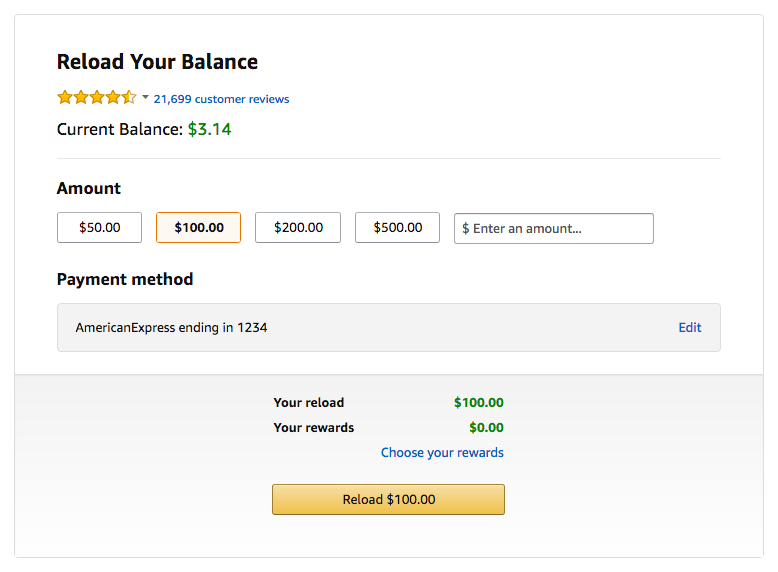
- Go to Amazon’s ‘Reload Your Balance’ page
- Enter the amount on your Visa gift card
- Sign in to your account; this step is required even if you’re already logged into your Amazon account
- Click on ‘Edit’ in the payment method box; you’ll then be redirected to a new page where you’ll click ‘Add a card’
- Enter your gift card information in the specified fields and click next; if you’re unsure as to which name is on the card, there is a balance check number on the back of the card that you can call to reference the information
- Select your gift card as the payment method and click ‘Done’
- You’ll then be redirected to the reload your balance screen; verify the amount of the gift card and then click ‘Reload’ button
Still wondering why this is useful? Imagine you have seven Visa gift cards with funds ranging from $1.89 to $17.54. Instead of using each gift card separately, you can combine your Visa gift card balance for a lump sum of money to spend on Amazon. As an added bonus, there is no minimum or maximum amount required on your Visa gift card to reload your Amazon gift card balance.
Don’t forget that your Visa gift card may have an expiration date. Reloading your Amazon balance is a great way to avoid losing the funds!
As an added tip, use the steps below to redeem your Amazon gift cards.
How To Use Amazon Gift Cards
- Find the claim code on the back of your Amazon gift card
- Sign into your Amazon account; if you do not have an account, click on the ‘No I am a new customer’ button and make an account
- Access ‘Your Account’
- Click on the ‘Gift cards’ button
- Click on the ‘Redeem a Gift Card’ button under ‘Your Gift Card Balance’
- Enter the Amazon claim code
- Click the ‘Apply to your balance’ button.