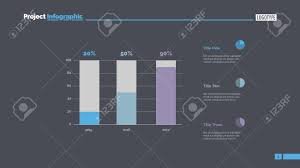
Column charts are a staple in professional presentations, known for their ability to display data trends and comparisons across categories. Their vertical bars serve as powerful visual aids, particularly useful in corporate settings where clear communication of complex information is crucial.
This article explores innovative ways to use column charts to enhance your presentations and communicate data more effectively.
Understanding Column Chart Basics
A column chart, often used interchangeably with the bar chart, displays data as vertical bars across the chart’s x-axis, with the height of each bar representing a data value. This format makes it easy to see differences between items at a glance, making column charts an excellent choice for comparing data across categories.
Effective Column Chart Usage in Presentations
1. Highlighting Data Trends
One of the primary strengths of column charts is their ability to show trends over time, making them ideal for time series analysis. By displaying data points over regular intervals, such as months, quarters, or years, viewers can quickly grasp upward or downward trends, seasonal effects, or cyclical patterns. This visual representation helps stakeholders understand how metrics like sales figures, customer growth, or market changes develop over time.
2. Comparing Multiple Data Sets
Column charts excel at comparing different datasets within the same context. For instance, a presenter can use a multi-series column chart to compare the performance of different products, business units, or markets within the same time frame. This method is visually impactful and provides a direct visual comparison that can drive strategic business decisions.
Advanced Techniques for Column Charts
1. Using Stacked Columns
Stacking column charts can be extremely effective for demonstrating part-to-whole relationships. These charts layer data from different categories on top of one another in a single column, which helps show each category’s contribution to the total. This technique is particularly useful when you want to focus on the market’s overall size while still breaking down market shares by competitor or product type.
2. Incorporating Data-Driven Colors
Color coding in column charts can represent different data groups or highlight specific information, such as reaching a target or identifying an outlier. Strategically using colors makes the chart more engaging and helps direct the viewer’s attention to key parts of the data.
Innovating with Column Charts
Interactive Column Charts
In digital presentations, interactive column charts can enhance user engagement by allowing viewers to click on or hover over columns to see additional data or annotations. This interactivity makes the presentation more engaging and allows presenters to include more detailed data without cluttering the visual presentation.
Combining Chart Types
For a more comprehensive data analysis, combining column charts with other chart types, like line graphs or pie charts, can provide multiple perspectives of the data. For example, using a column chart alongside a line graph can show the actual data points compared to a trend line, offering a dual perspective that enhances understanding.
Best Practices for Presentation-Ready Column Charts
1. Simplify and Focus
The key to using column charts effectively in presentations is simplicity. Avoid overcrowding the chart with too many categories or overly complex labeling. Focus on the most important data points that align with the narrative of your presentation.
2. Narrative Integration
Each column chart should integrate seamlessly into your presentation’s narrative. Start with a clear title that reflects the chart’s main takeaway. Use annotations and brief descriptions to guide the audience through the data, ensuring they grasp the intended message without confusion.
The Bottom Line
Column charts are versatile tools that, when used innovatively, can significantly enhance the effectiveness of professional presentations. By employing advanced techniques and focusing on clarity and integration into the broader presentation narrative, these charts can help convey complex information in an accessible and visually engaging manner. Whether you’re presenting time series analyses, comparing multiple datasets, or highlighting specific data trends, column charts offer a reliable way to present data clearly and persuasively.